

A Vivicon és az általa inspirált, Canva alkalmazásként elérhető Interactive slides megoldásaival pillanatok alatt bevonhatod a közönséged, miközben lenyűgöző vizuális és élményalapú előadást tartasz.
Könnyen kezelhető, interaktív, professzionális és garantáltan figyelemfelkeltő.

Be the presenter everyone remembers
With Vivicon’s Interactive Slides App in Canva, you can engage your audience in seconds while delivering a visually stunning, experience-driven presentation.
Easy to use, fully interactive, profesional, and guaranted to grab attention.

Egyszerű
használat
Tervezd meg és szerkeszd könnyedén előadásod, és tedd interaktivvá néhány lépésben.
Áttekinthető, rugalmas, intuitív.

Bárhonnan elérhető diasorok
Felhőalapú, könnyen és kényelmesen használható megoldás. Prezentációid mindig kéznél vannak az online térben.

Canva Interactive Slides App
A Canva Interactive Slides App ötvözi a gyorsaságot és a kreativitást, hogy gyorsabban tervezhess. Így lebilincselőbb előadásokat tarthatsz.

Simple to get started
Design and edit your presentation with ease, then make it interactive in just a few steps.
Clear, flexible, intuitive.

Access slides anywhere
A cloud-based, easy-to-use solution. Your presentations are always at hand, available online whenever you need them.

Interactive Slides App in Canva
Vivicon’s Interactive Slides App in Canva combines speed and creativity, helping you design faster and deliver more engaging lessons and meetings.
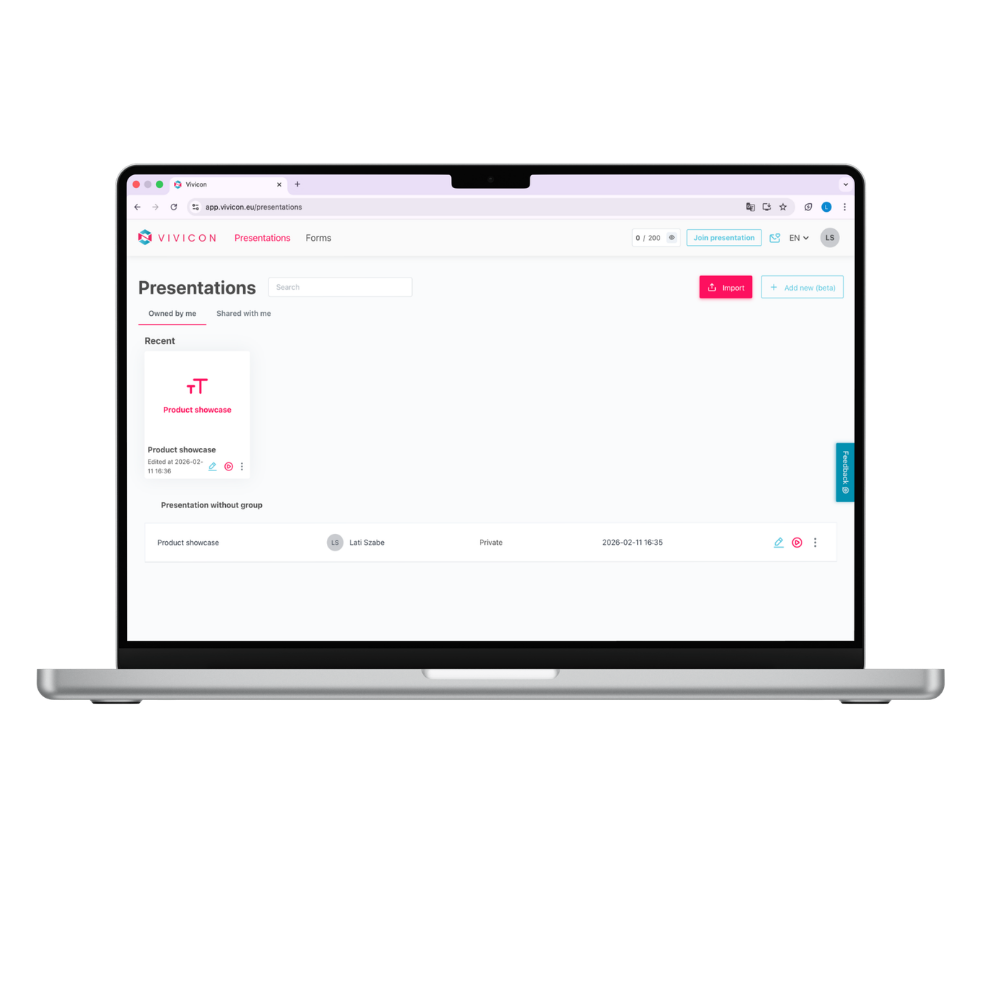
Make your presentation more enjoyable with interactive features
Add interactive tasks and questions to your presentation content. Choose from multiple formats depending on whether you’re using Vivicon or the Interactive Slides App in Canva: Poll, Open-ended slide, Word Cloud, Pro & Con, Interactive Image, Form, Slider.
Manage your slideshows quickly and easily
You don’t have to give up your existing presentations, just upload them or create a new one.
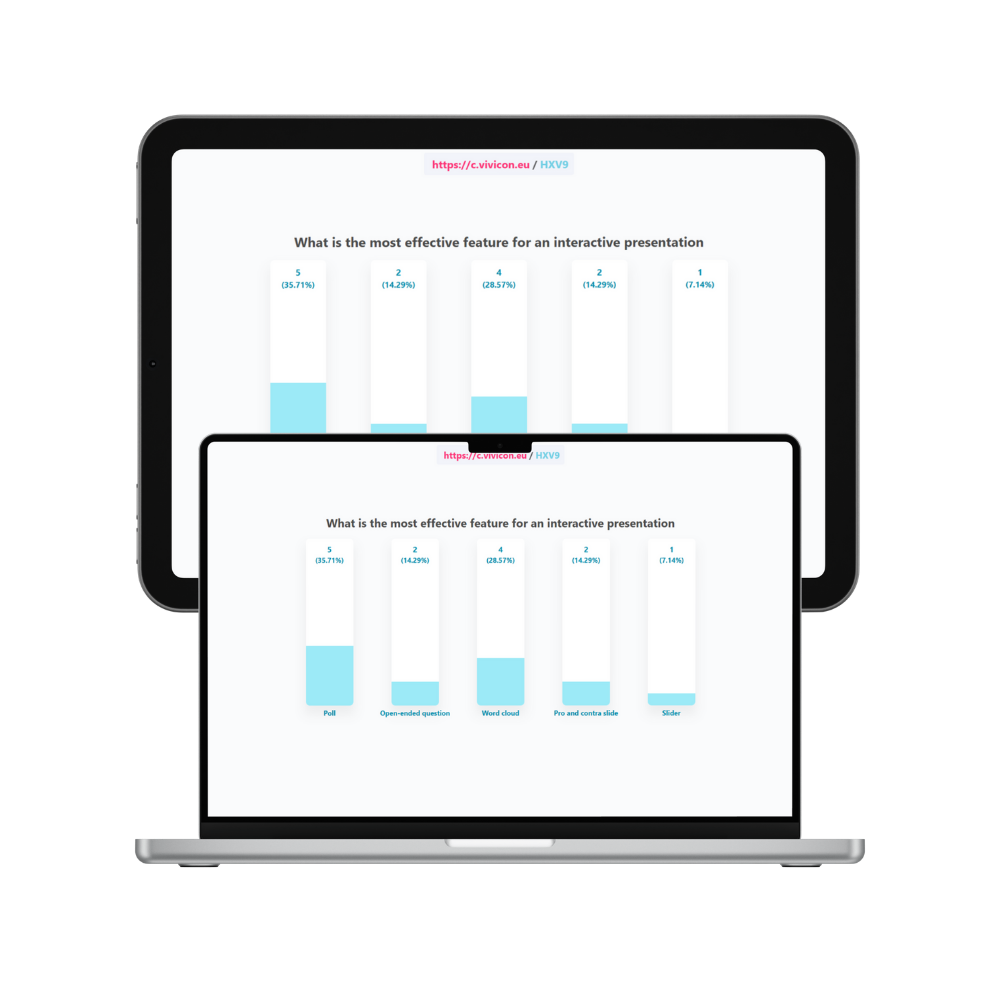
Make your presentation more enjoyable with interactive features
Add interactive tasks and questions to your presentation content. Choose from multiple formats depending on whether you’re using Vivicon or the Interactive Slides App in Canva: Poll, Open-ended slide, Word Cloud, Pro & Con, Interactive Image, Form, Slider.
Make your presentation more enjoyable with interactive features
Add interactive tasks and questions to your presentation content. Choose from multiple formats depending on whether you’re using Vivicon or the Interactive Slides App in Canva: Poll, Open-ended slide, Word Cloud, Pro & Con, Interactive Image, Form, Slider.
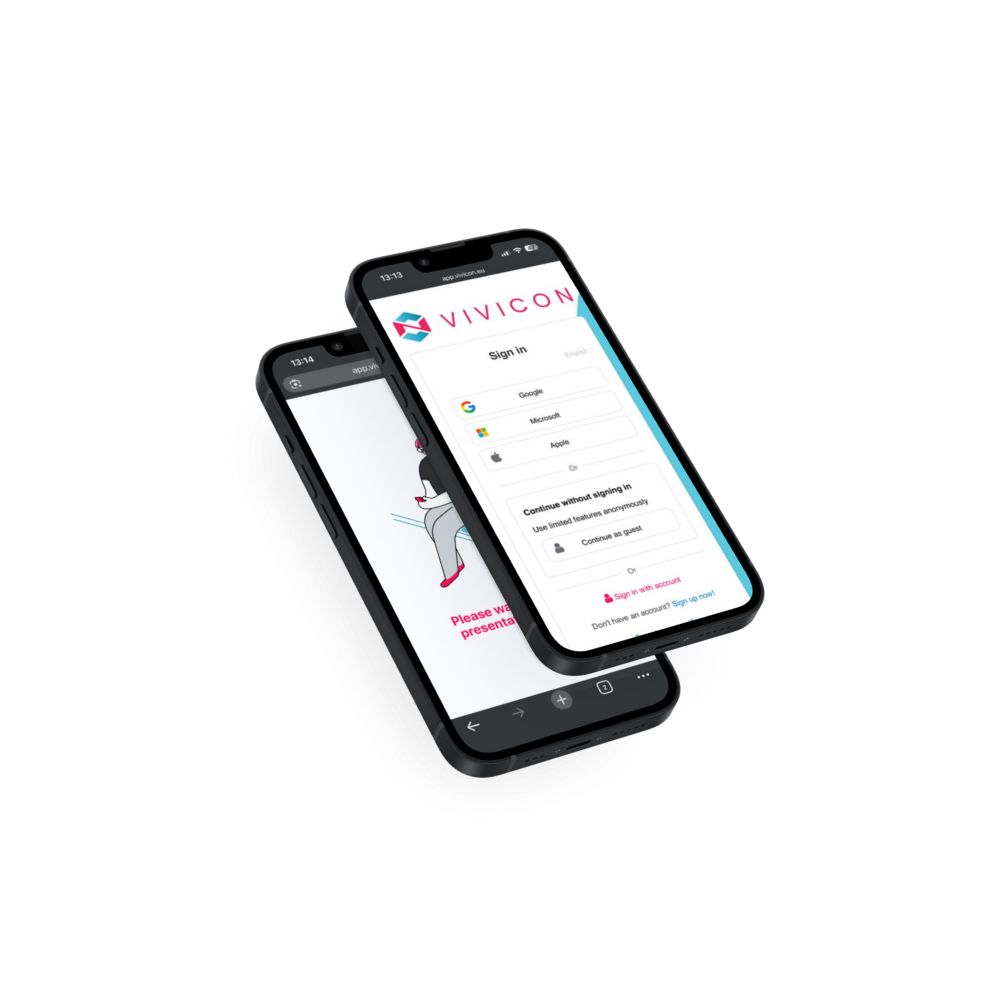
Make your presentation more enjoyable with interactive features
Add interactive tasks and questions to your presentation content. Choose from multiple formats depending on whether you’re using Vivicon or the Interactive Slides App in Canva: Poll, Open-ended slide, Word Cloud, Pro & Con, Interactive Image, Form, Slider.
Enjoy the full attention of your audience
Participants join and respond to interactive slides from their own devices, so using their phones supports the presentation instead of distracting from it. Even quieter participants can easily get involved without speaking up, allowing everyone to stay within their comfort zone.
Mostantól a Canva alkalmazásai között is elérhetők vagyunk!
Ötvözd a Canva lenyűgöző vizuális megoldásait a Vivicon interaktív funkcióival! Ne csak prezentálj – vond be a közönségedet, és tedd őket aktív részévé az előadásodnak!
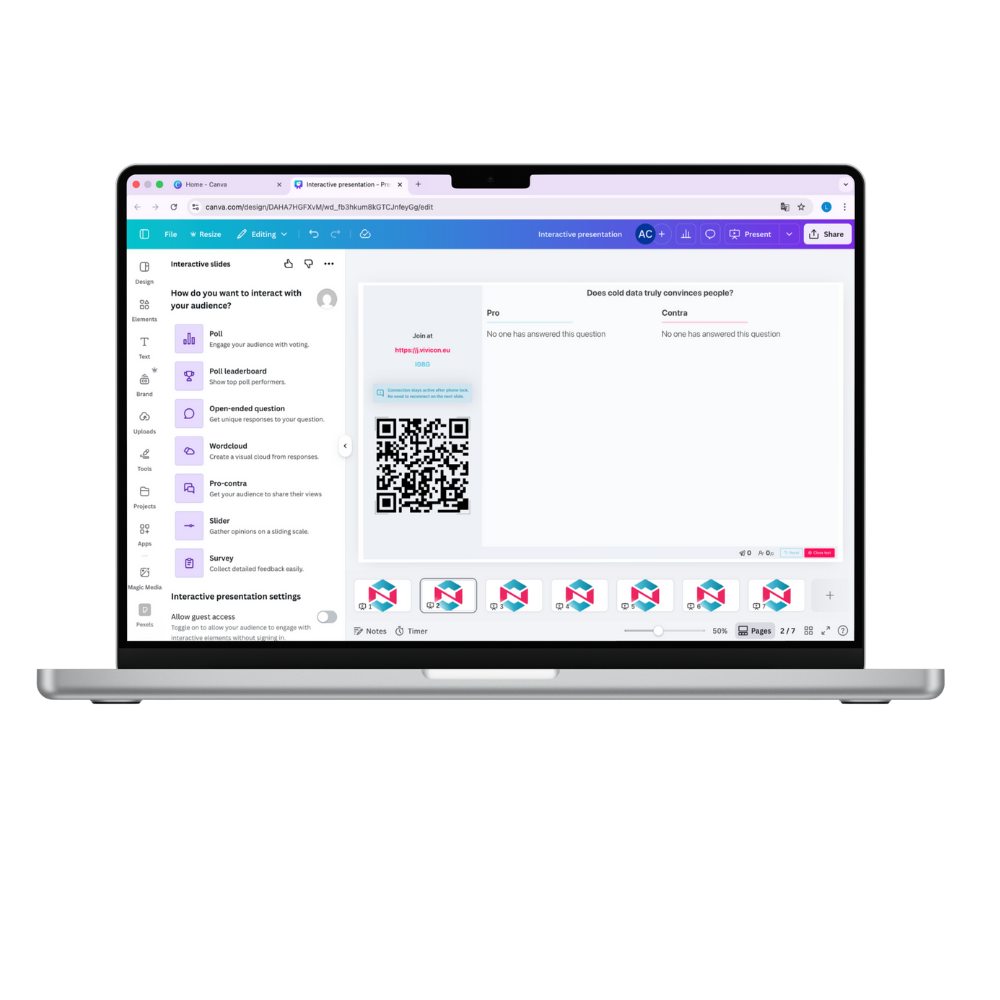
Tedd élvezetesebbé a prezentációdat interaktív funkciókkal
Adj hozzá interaktív feladatokat és kérdéseket a prezentációd tartalmához! Válassz többféle formátum közül attól függően, hogy a Vivicont vagy a Canva Interactive Slides App alkalmazást használod: Szavazás, Szabadszavas dia, Szófelhő, Pro-kontra, Interaktív kép, Űrlap, Slider.

Élvezd a közönséged teljes figyelmét
A résztvevők saját eszközeikről csatlakoznak és válaszolnak az interaktív diákra, így a telefonhasználat támogatja a prezentációt ahelyett, hogy elterelné a figyelmet. Még a csendesebb résztvevők is könnyedén bekapcsolódhatnak anélkül, hogy megszólalnának, így mindenki a komfortzónáján belül maradhat.

Történelemóra
Poll kvíz és verseny
Indítsd az órát
lendületesen!
Néhány gyors Poll kérdéssel azonnal felmérheted, mennyire emlékeznek a diákok az előző órára – miközben a Ranglista versenyhelyzetet teremt. A tudás felmérése játékosan, motiváló pontversennyel történik.

Egyetemi kurzus
Szabadszavas kérdés
Indítsd be
a gondolkodást!
Egy szabadszavas kérdéssel – pl. „Mi a legnagyobb kihívás az AI etikai szabályozásában?” – a hallgatók saját szavaikkal oszthatják meg véleményüket. A válaszok valós időben jelennek meg, beindítva az érdemi beszélgetést és bevonódást.

Workshop
Wordcloud bevezető
Kezdd a workshopot közös gondolkodással!
A Wordcloud dián egyetlen kérdés – pl. „Mi jut eszedbe az egészséges életmódról?” – a megadott válaszok ábrázolják vizuálisan a csoport gondolkodását. Azonnali és látványos.

Vállalati meeting
Pro és kontra vitakártya
Dönts együtt
a csapattal!
A Pro-Contra dián a résztvevők véletlenszerű csapatba osztást követően, két oldalról fejthetik ki véleményüket – például: „Bevezessük-e a négynapos munkahetet?” Strukturált vita, látható érvek, közös döntéshozatal.

Önismereti tréning
Űrlapos visszajelzés
Zárd a tréninget
értékes reflexiókkal!
Az Űrlap dia segítségével a résztvevők megoszthatják, mit visznek haza, mit tanultak és mit javasolnak fejleszteni a tréningen. Struktúrált visszajelzés pár perc alatt – papír nélkül, digitálisan.

E-learning visszamérés
Slider
Tudd meg, hol akadnak el
a tanulók!
Mérd a fejezetek nehézségét
és érthetőségét skálás
visszajelzéssel. A hallgatók
egy slider segítségével
tudnak visszajelzést
adni az adott
anyagrészről.

History Class
Poll Quiz & Competition
Kick off the class with energy!
With a few quick Poll questions, you can instantly check how well students remember the previous lesson – while the Leaderboard creates a fun sense of competition. Knowledge assessment becomes playful and motivating thanks to the point-based challenge.

Health Workshop
Word Cloud Intro
Start your workshop with a collective brainstorming session!
On the Word Cloud slide, a single question – “What comes to mind when you think of a healthy lifestyle?” – visually displays the group’s thoughts through their submitted answers. Immediate, engaging, and visually impactful.

Self-Awareness Training
Form Feedback
End the training with valuable reflections!
With the Form slide, participants can easily share their key takeaways, insights, and suggestions for improving the training. It provides a quick and strucktured way to collect meaningful feedback – all within minutes. Paperless and fully digital.

University Course
Open-Ended Question
Spark critical thinking!
With an open-ended question – for example, “What is the biggest challenge in regulating AI ethics?” – students can share their thoughts in their own words. Responses appear in real time, jump-starting meaningful discussion and deeper engagement.

Corporate Meeting
Pro & Con Debate Slide
Make decisions together as a team!
With the Pro–Con slide, participants can express their viewpoints from two opposing sides — for example: “Should we implement a four-day workweek?” A structured debate with visible arguments that supports clear, collaborative decision-making using modern tools.

Geography Lesson
Interactive Image
Turn learning into an experience!
With the interactive image, students can explore the mountain ranges of the Carpathian Basin together. During or after your explanation, they can complete a quiz about the highlighted areas on the map. Map, knowledge, and play — all on a single slide.
Based on the opinions of university lecturers*
84%
84% of survey respondents consider this tool useful when giving presentations.
82%
Of those who would like to try this tool, 82% say it could be used to activate students who would otherwise not contribute to the class.
69%
69% of survey respondents would use this tool if they had the opportunity to do so at their institution.
*Based on a survey of academics in higher education institutions in the country – 2022. September.
Based on the opinions of university lecturers*
84%
A felmérésben résztvevők 84%-a hasznosnak tartja ezt az eszközt előadások tartása során.
82%
Akik szívesen kipróbálnák ezt az eszközt, azok 82%-a szerint aktivizálni lehetne olyan hallgatókat, akik amúgy nem szólnának hozzá az órához.
69%
A felmérésben résztvevők 69%-a használná ezt az eszközt, ha az intézményében lehetősége lenne rá.
*Based on a survey of academics in higher education institutions in the country – 2022. September.
Fedezd fel a Canva Interactive Slides App funkcióit és előnyeit
Szeretnéd megismerni és kipróbálni a Vivicon Interactive Slides App alkalmazását a Canvában? Tedd meg ingyenesen az alábbi gombok egyikére kattintva! A bejelentkezésnél választhatod a Google-, Microsoft- vagy Apple-fiókot, illetve regisztrálhatsz Vivicon-fiókot is.
A Vivicon-fiók a Vivicon App használatához szükséges, míg a Canva Interactive Slides App bejelentkezés nélkül is kipróbálható. További részletekért keresd fel az „Interactive Slides App in Canva” menüpontot.
Discover the features and benefits of the Interactive Slides App in Canva
Want to learn about and try Vivicon’s Interactive Slides App in Canva? Do it for free by clicking one of the buttons below. When signing in, you can choose Google, Microsoft, or Apple ID, or register a Vivicon account.
A Vivicon account is required to use the platform, while the Interactive Slides app can be tried without signing in. For more details, see the “Interactive Slides – Canva” menu.