

With Vivicon’s Interactive Slides App in Canva, you can engage your audience in seconds while delivering a visually stunning, experience-driven presentation.
Easy to use, fully interactive, professional, and guaranted to grab attention.

Be the presenter everyone remembers
With Vivicon’s Interactive Slides App in Canva, you can engage your audience in seconds while delivering a visually stunning, experience-driven presentation.
Easy to use, fully interactive, profesional, and guaranted to grab attention.

Simple to get
started
Design and edit your presentation with ease, then make it interactive in just a few steps.
Clear, flexible, intuitive.

Access slides anywhere
A cloud-based, easy-to-use solution. Your presentations are always at hand, available online whenever you need them.

Interactive Slides App in Canva
Interactive Slides App in Canva combines speed and creativity, helping you design faster and deliver more engaging lessons and meetings.

Simple to get started
Design and edit your presentation with ease, then make it interactive in just a few steps.
Clear, flexible, intuitive.

Access slides anywhere
A cloud-based, easy-to-use solution. Your presentations are always at hand, available online whenever you need them.

Interactive Slides App in Canva
Vivicon’s Interactive Slides App in Canva combines speed and creativity, helping you design faster and deliver more engaging lessons and meetings.
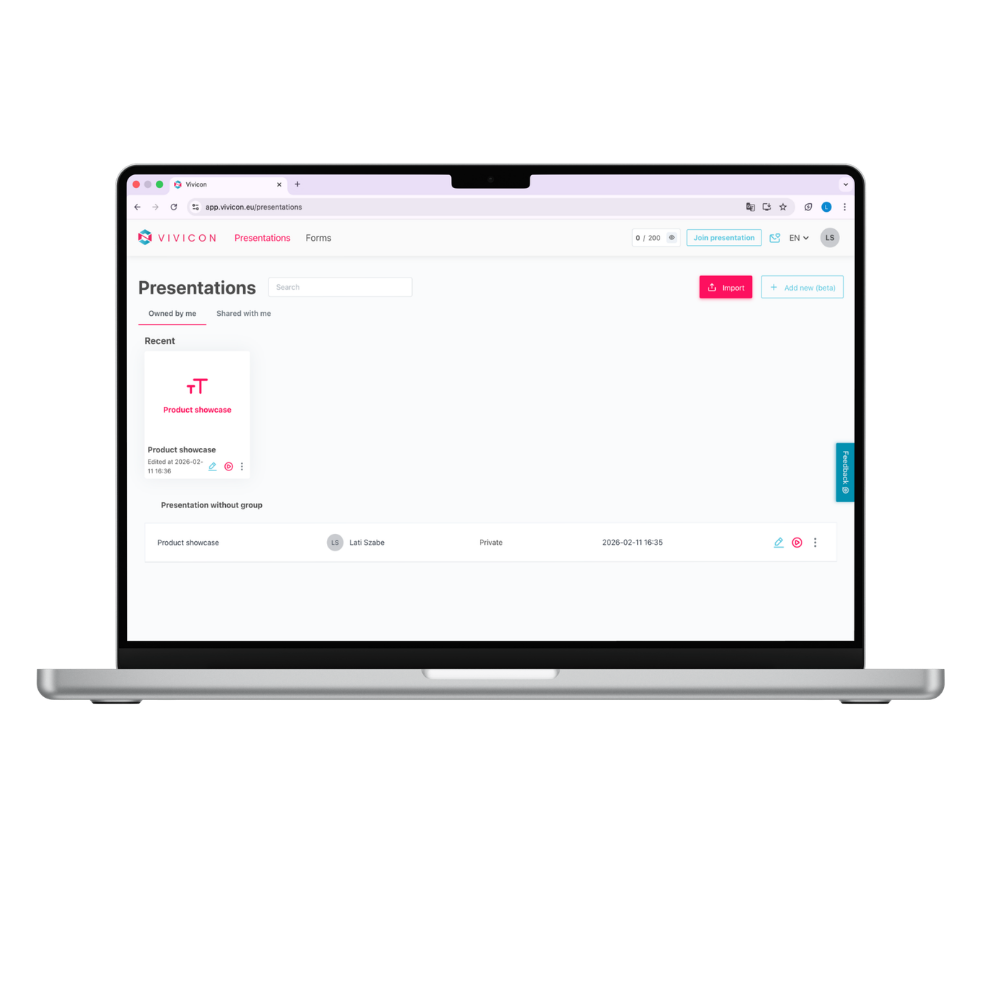
Make your presentation more enjoyable with interactive features
Add interactive tasks and questions to your presentation content. Choose from multiple formats depending on whether you’re using Vivicon or the Interactive Slides App in Canva: Poll, Open-ended slide, Word Cloud, Pro & Con, Interactive Image, Form, Slider.
Manage your slideshows quickly and easily
You don’t have to give up your existing presentations, just upload them or create a new one.
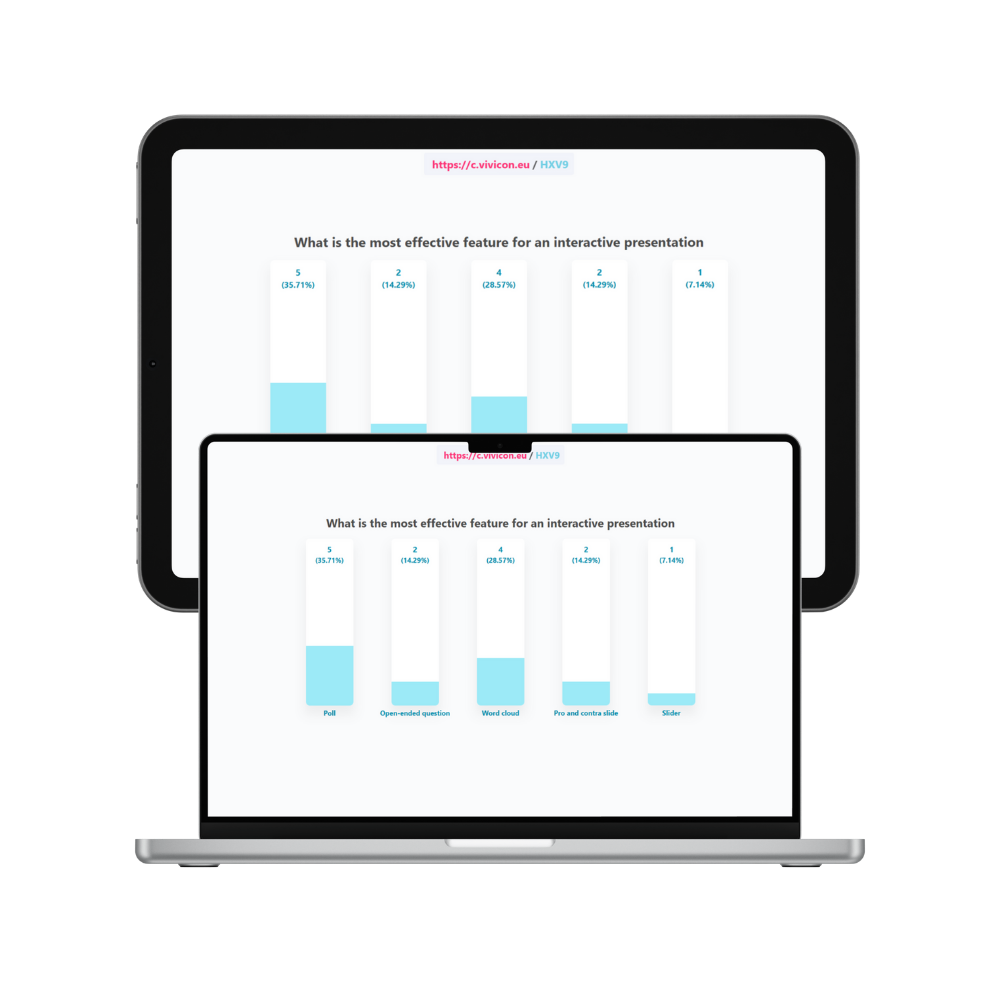
Make your presentation more enjoyable with interactive features
Add interactive tasks and questions to your presentation content. Choose from multiple formats depending on whether you’re using Vivicon or the Interactive Slides App in Canva: Poll, Open-ended slide, Word Cloud, Pro & Con, Interactive Image, Form, Slider.
Make your presentation more enjoyable with interactive features
Add interactive tasks and questions to your presentation content. Choose from multiple formats depending on whether you’re using Vivicon or the Interactive Slides App in Canva: Poll, Open-ended slide, Word Cloud, Pro & Con, Interactive Image, Form, Slider.
Make your presentation more enjoyable with interactive features
Add interactive tasks and questions to your presentation content. Choose from multiple formats depending on whether you’re using Vivicon or the Interactive Slides App in Canva: Poll, Open-ended slide, Word Cloud, Pro & Con, Interactive Image, Form, Slider.
Enjoy the full attention of your audience
Participants join and respond to interactive slides from their own devices, so using their phones supports the presentation instead of distracting from it. Even quieter participants can easily get involved without speaking up, allowing everyone to stay within their comfort zone.
We’re now available among Canva apps too!
Combine Canva’s stunning visuals with Vivicon’s interactive features. Don’t just present – engage your audience and pull them into your talk!
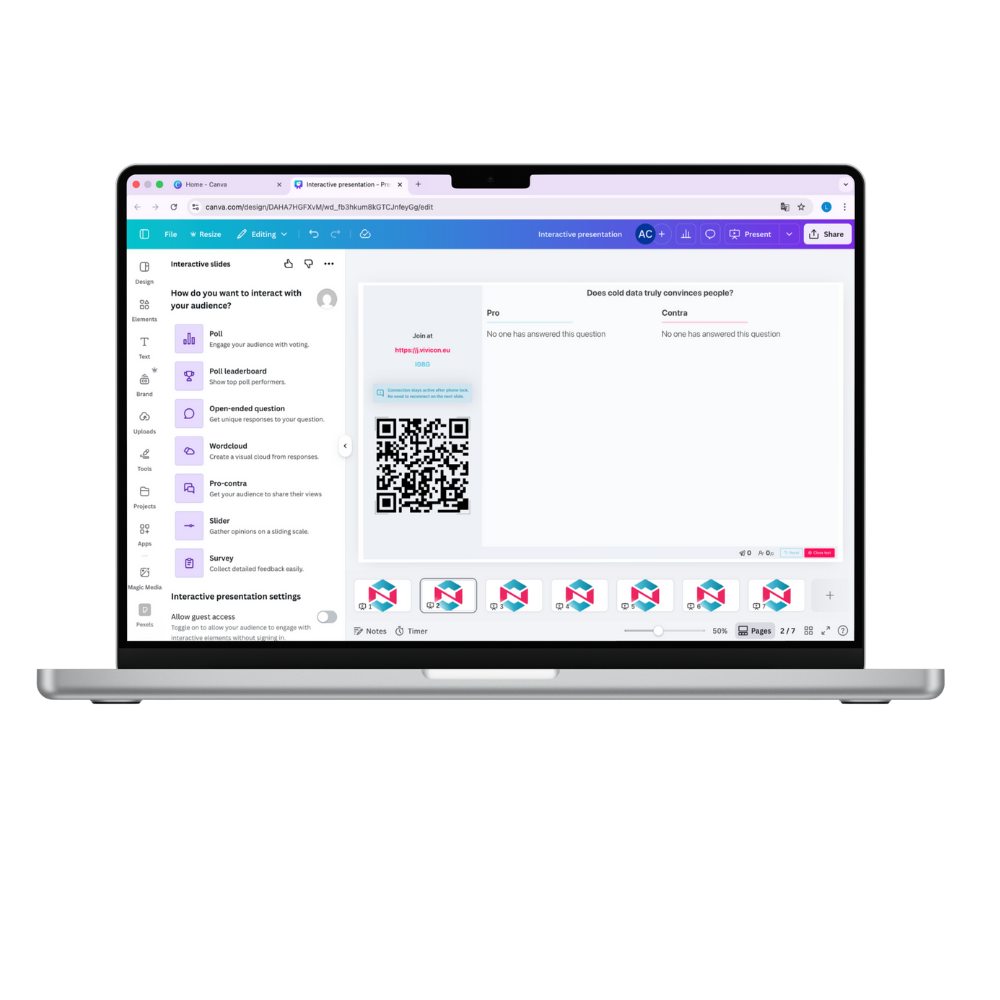
Make your presentation more enjoyable with interactive features
Add interactive tasks and questions to your presentation content. Choose from multiple formats depending on whether you’re using Vivicon or the Interactive Slides App in Canva: Poll, Open-ended slide, Word Cloud, Pro & Con, Interactive Image, Form, Slider.

Enjoy the full attention of your audience
Participants join and respond to interactive slides from their own devices, so using their phones supports the presentation instead of distracting from it. Even quieter participants can easily get involved without speaking up, allowing everyone to stay within their comfort zone.

History Class
Poll Quiz & Competition
Kick off the class with energy!
With a few quick Poll questions, you can instantly check how well students remember the previous lesson – while the Leaderboard creates a fun sense of competition. Knowledge assessment becomes playful and motivating thanks to the point-based challenge.

University Course
Open-Ended Question
Spark critical thinking!
With an open-ended question – for example, “What is the biggest challenge in regulating AI ethics?” – students can share their thoughts in their own words. Responses appear in real time, jump-starting meaningful discussion and deeper engagement.

Health Workshop
Word Cloud Intro
Start your workshop with a collective brainstorming session!
On the Word Cloud slide, a single question – “What comes to mind when you think of a healthy lifestyle?” – visually displays the group’s thoughts through their submitted answers. Immediate, engaging, and visually impactful.

Corporate Meeting
Pro & Con Debate Slide
Make decisions together
as a team!
With the Pro-Con slide, participants can express their viewpoints from two opposing sides – for example: “Should we implement a four-day workweek?” A structured debate with visible arguments that supports collaborative decision-making.

Self-Awareness Training
Form Feedback
End the training with valuable
reflections!
With the Form slide, participants can easily share their key takeaways, insights, and suggestions for improving the training. It provides a quick and strucktured way to collect meaningful feedback – all within minutes. Paperless and fully digital.

Geography Lesson
Interactive Image
Turn learning into an experience!
With the interactive image, students can explore the mountain ranges of the Carpathian Basin together. During or after your explanation, they can complete a quiz about the highlighted areas on the map. Map, knowledge, and play — all on a single slide.

History Class
Poll Quiz & Competition
Kick off the class with energy!
With a few quick Poll questions, you can instantly check how well students remember the previous lesson – while the Leaderboard creates a fun sense of competition. Knowledge assessment becomes playful and motivating thanks to the point-based challenge.

Health Workshop
Word Cloud Intro
Start your workshop with a collective brainstorming session!
On the Word Cloud slide, a single question – “What comes to mind when you think of a healthy lifestyle?” – visually displays the group’s thoughts through their submitted answers. Immediate, engaging, and visually impactful.

Self-Awareness Training
Form Feedback
End the training with valuable reflections!
With the Form slide, participants can easily share their key takeaways, insights, and suggestions for improving the training. It provides a quick and strucktured way to collect meaningful feedback – all within minutes. Paperless and fully digital.

University Course
Open-Ended Question
Spark critical thinking!
With an open-ended question – for example, “What is the biggest challenge in regulating AI ethics?” – students can share their thoughts in their own words. Responses appear in real time, jump-starting meaningful discussion and deeper engagement.

Corporate Meeting
Pro & Con Debate Slide
Make decisions together as a team!
With the Pro–Con slide, participants can express their viewpoints from two opposing sides — for example: “Should we implement a four-day workweek?” A structured debate with visible arguments that supports clear, collaborative decision-making using modern tools.

Geography Lesson
Interactive Image
Turn learning into an experience!
With the interactive image, students can explore the mountain ranges of the Carpathian Basin together. During or after your explanation, they can complete a quiz about the highlighted areas on the map. Map, knowledge, and play — all on a single slide.
Based on the opinions of university lecturers*
84%
84% of survey respondents consider this tool useful when giving presentations.
82%
Of those who would like to try this tool, 82% say it could be used to activate students who would otherwise not contribute to the class.
69%
69% of survey respondents would use this tool if they had the opportunity to do so at their institution.
*Based on a survey of academics in higher education institutions in the country – 2022. September.
Based on the opinions of university lecturers*
84%
84% of survey respondents consider this tool useful when giving presentations.
82%
Of those who would like to try this tool, 82% say it could be used to activate students who would otherwise not contribute to the class.
69%
69% of survey respondents would use this tool if they had the opportunity to do so at their institution.
*Based on a survey of academics in higher education institutions in the country – 2022. September.
Discover the features and benefits of the Interactive Slides App in Canva
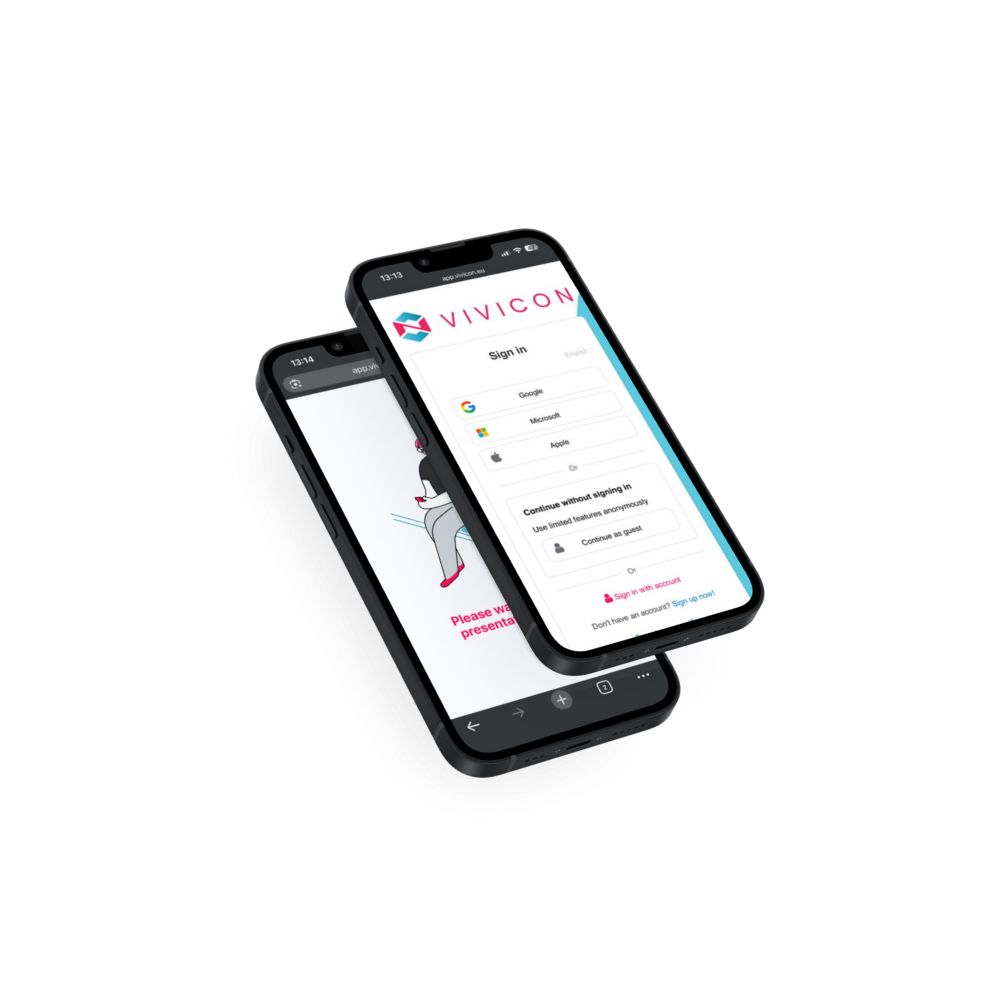
Want to learn about and try Vivicon’s Interactive Slides App in Canva? Do it for free by clicking one of the buttons below. When signing in, you can choose Google, Microsoft, or Apple ID, or register a Vivicon account.
A Vivicon account is required if you want to use the core Vivicon App, while the Interactive Slides app can be tried without signing in. For more details, see the “Interactive Slides App in Canva” menu.
Discover the features and benefits of the Interactive Slides App in Canva
Want to learn about and try Vivicon’s Interactive Slides App in Canva? Do it for free by clicking one of the buttons below. When signing in, you can choose Google, Microsoft, or Apple ID, or register a Vivicon account.
A Vivicon account is required to use the platform, while the Interactive Slides app can be tried without signing in. For more details, see the “Interactive Slides – Canva” menu.